
Invite people you trust
Nobody joins without an invitation. Keep different groups separate.
The I’M SAFE app
Create invite-only Bubbles for family and friends. Share your location with the Bubble you choose, check when an update was last received, follow a Journey when invited, and alert selected contacts with SOS.
iPhone and Android. No device purchase needed.
Your people, on one private map.
Bubbles / Your private groups
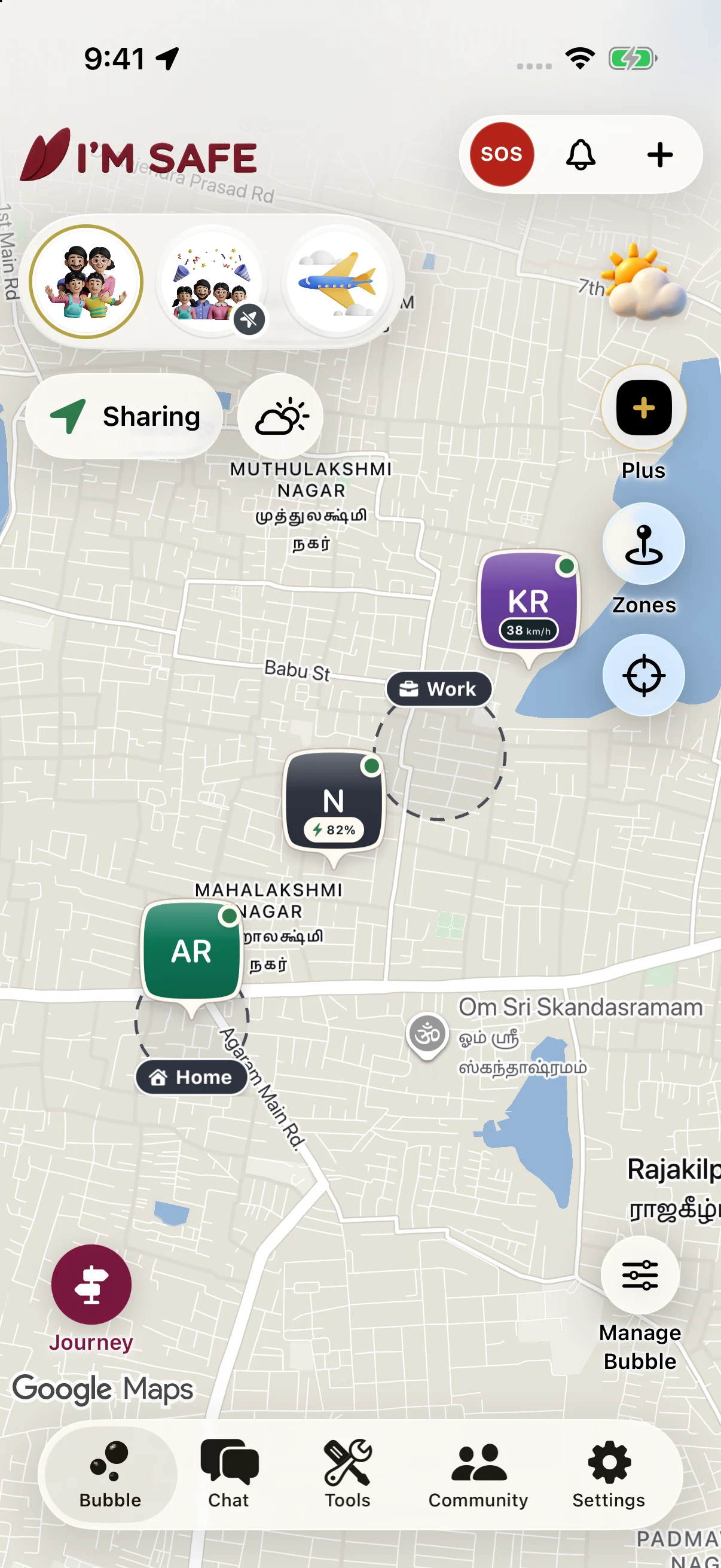
We call it a Bubble. Make one for family, another for friends, or a group heading away together.
Nobody joins without an invitation. Keep different groups separate.
See each other’s shared locations, with update times, battery and signal.
Go Private to stop new updates. Last-known information may remain with its timestamp.
All People, one overview. On current app versions, see the people who already share with you across your Bubbles in one read-only view. It does not join groups, change membership or turn sharing on.
Watch: Your Bubble0:52Share live location · Included free
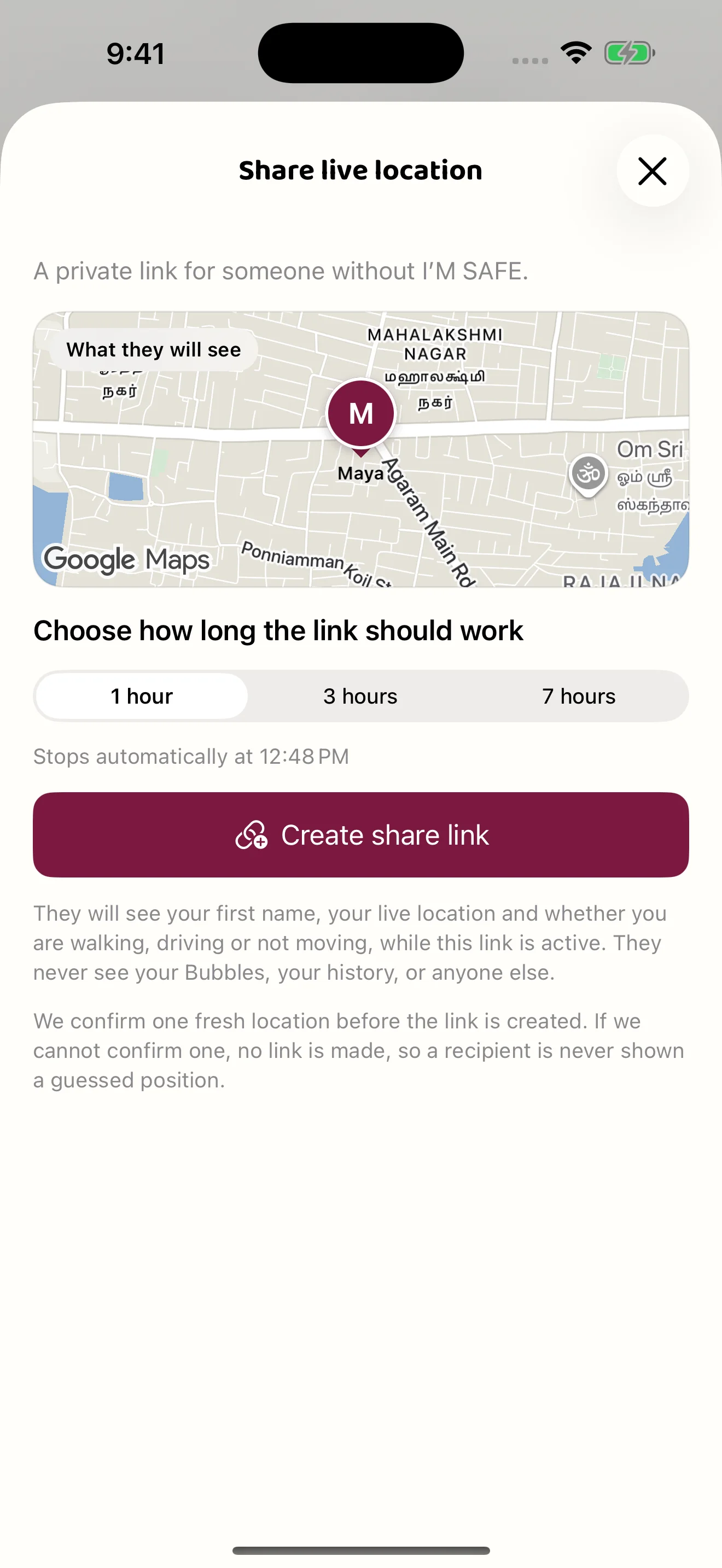
Meeting a friend who isn’t in your Bubble? Share a link for one, three or seven hours. They can follow your shared location without creating an account.
Open Share live location on iPhone or Android. Keep sharing on, choose one, three or seven hours, then create the link. A fresh location must be confirmed first.
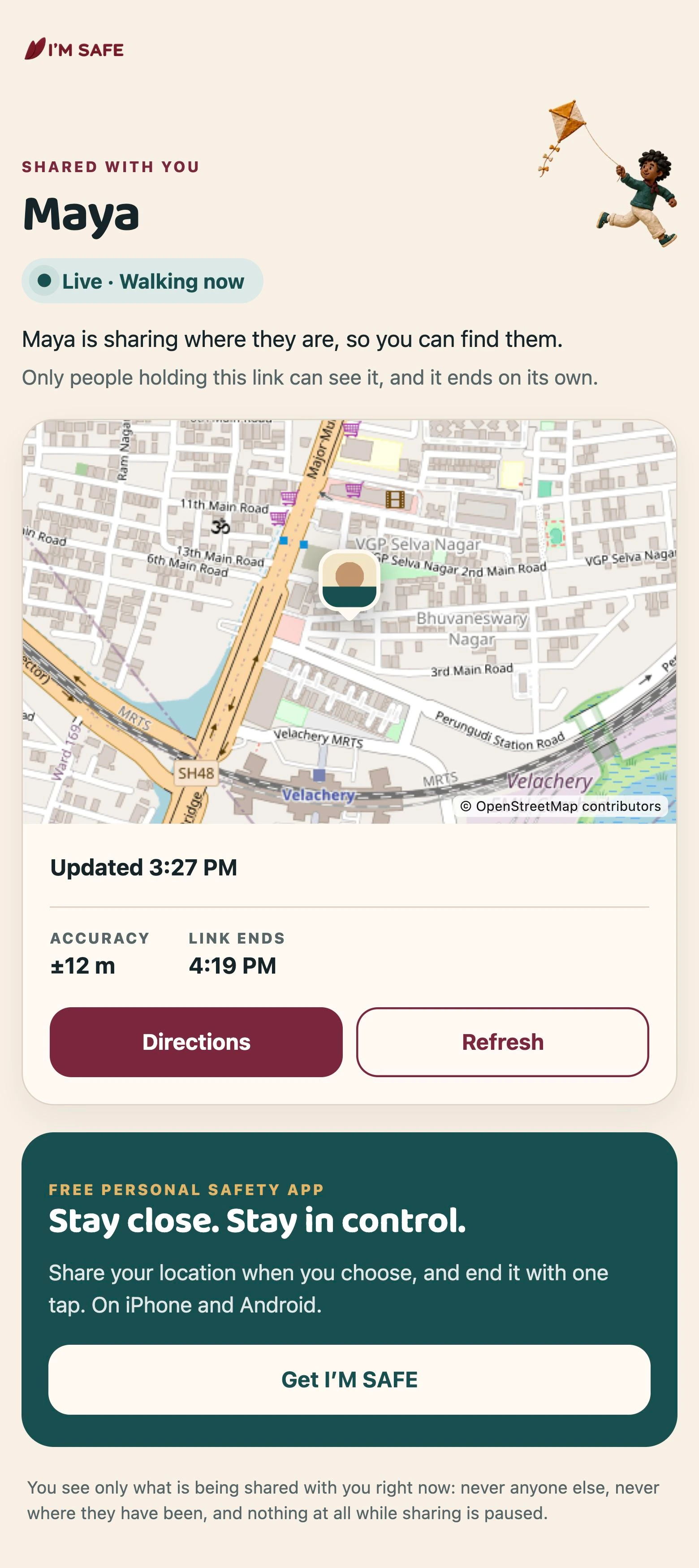
The browser shows your first name, available location, update time and when the link ends. It may show a photo, accuracy and movement. It never opens your Bubble or history.
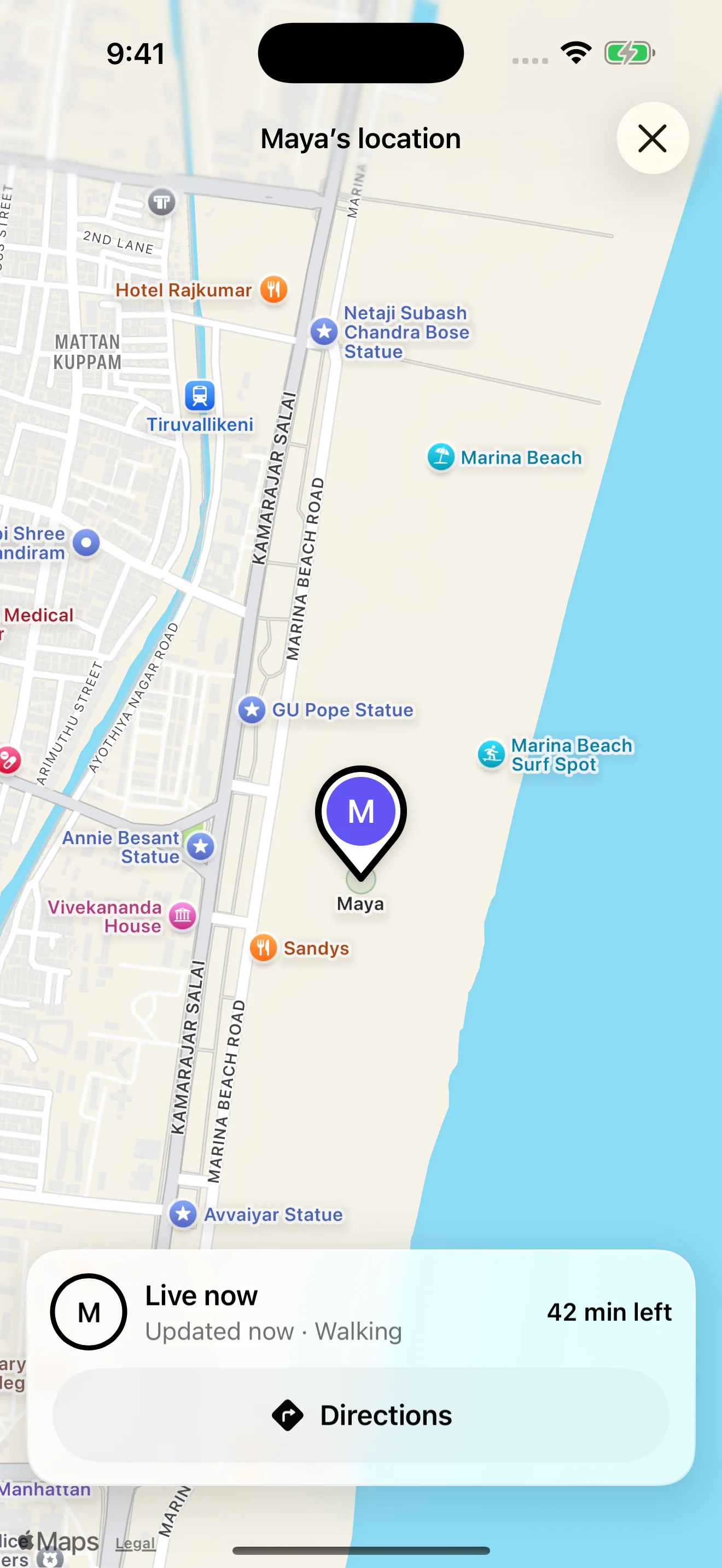
When the original supported link opens in the installed I’M SAFE app, it appears as a temporary Bubble for that person. It lasts for the link’s lifetime; it does not add you to their private groups.
Stop sharing this link ends access for everyone holding it. I’m safe · end sharing sends that specific ending instead. Turning off all location sharing revokes your links.
Expiry removes the location and says the link ended. It never claims you arrived or are safe. A new link replaces the old one, which stops working immediately.
This is a bearer link: anyone it is forwarded to can use it while active. Only the phone that created it can resend the stored link. A tablet can view and stop an existing share, but cannot create one. Watch apps and widgets do not create links.
Your phone needs permission to get location, sharing enabled and a connection to send fresh updates. The recipient also needs a connection. Viewing the link does not ask for their own location, camera or microphone. Last-known or approximate information is labelled; an old location is not proof of where someone is now. The browser hides the map when it cannot confirm the current sharing state.
Opening the app depends on installation and the device’s supported-link settings. The browser’s get-app action is a download route, not a promise that it will transfer a live link into the app. Open the original link again after installation.
Journeys / Follow a trip
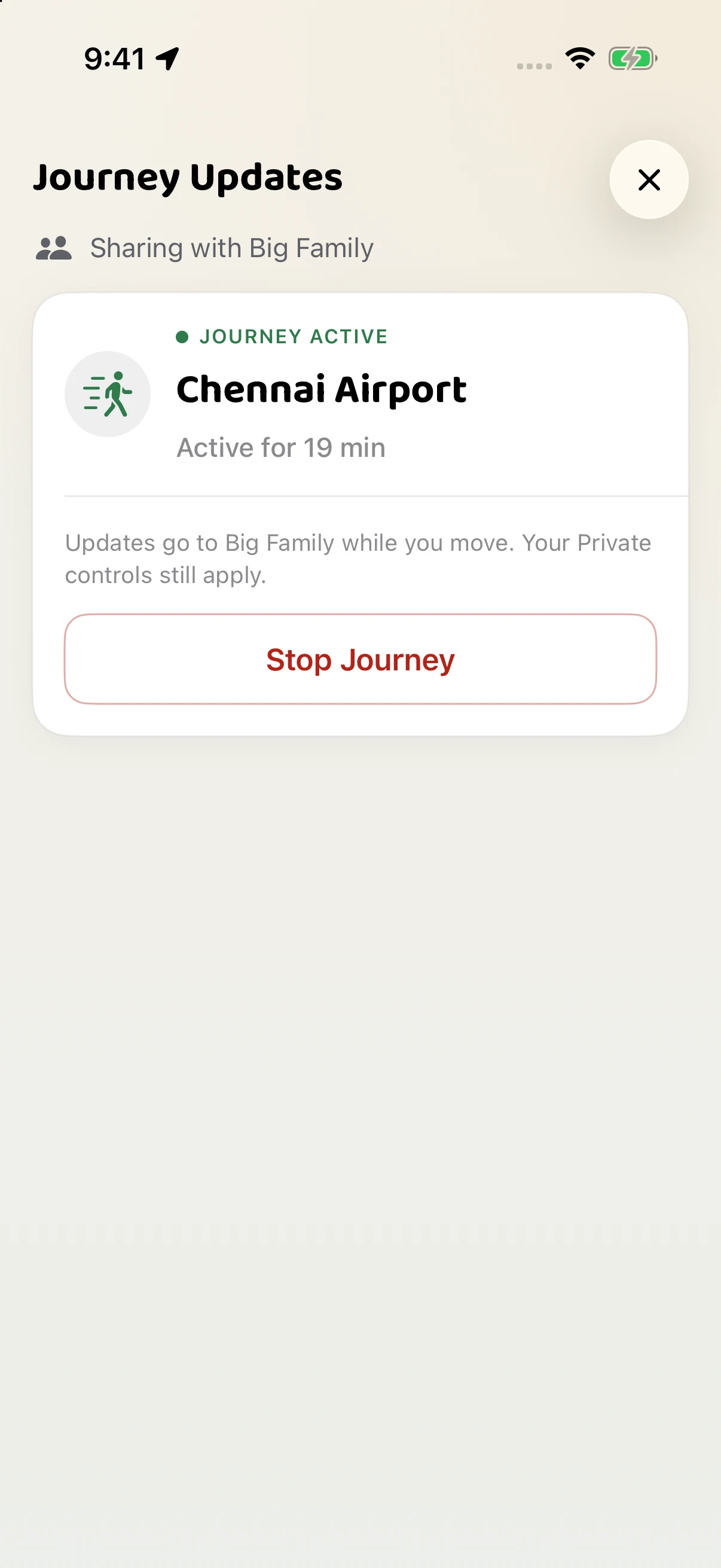
Heading home or going out? Let your Bubble follow your trip, without a string of “Where are you?” messages.
Watch: Chat & Journey updates0:53Weather near you, right on your Bubble map. It is one of the things people check every day, so from version 4.0.56 it is available for Free and Plus accounts and sits right at the front: one tap on the weather pill shows the hours ahead for your area. Weather asks for your permission once and only ever sends an approximate area, never an exact position.
आपके पास का मौसम, सीधे Bubble के नक्शे पर। मौसम उन चीज़ों में से एक है जिन्हें लोग हर दिन देखते हैं, इसलिए संस्करण 4.0.56 से यह Free और Plus दोनों खातों के लिए उपलब्ध है और सबसे आगे दिखाई देता है: मौसम की छोटी पट्टी पर एक बार टैप करने से आपके क्षेत्र के आने वाले घंटों का पूर्वानुमान दिखता है। मौसम की सुविधा आपसे केवल एक बार अनुमति माँगती है और हमेशा केवल एक अनुमानित क्षेत्र भेजती है, कभी भी सटीक स्थान नहीं।
உங்கள் அருகிலுள்ள வானிலை, Bubble வரைபடத்தில் நேரடியாக. மக்கள் தினமும் பார்க்கும் விஷயங்களில் இதுவும் ஒன்று என்பதால், பதிப்பு 4.0.56 முதல் இது Free மற்றும் Plus கணக்குகளுக்கு கிடைக்கிறது; முன்பகுதியிலேயே இடம்பெறுகிறது: வானிலைப் பட்டையை ஒருமுறை தட்டினால் உங்கள் பகுதியின் அடுத்த சில மணிநேரங்களுக்கான முன்னறிவிப்பைக் காணலாம். வானிலை வசதி உங்கள் அனுமதியை ஒருமுறை மட்டுமே கேட்கும்; தோராயமான பகுதியை மட்டுமே அனுப்பும், துல்லியமான இருப்பிடத்தை ஒருபோதும் அனுப்பாது.
ඔබ අසල කාලගුණය, Bubble සිතියම මතම. මෙය මිනිසුන් දිනපතා බලන දෙයක් නිසා, 4.0.56 අනුවාදයේ සිට එය Free සහ Plus ගිණුම් සඳහා ලබා ගත හැකි අතර ඉදිරියෙන්ම පෙන්වයි: කාලගුණ තීරුව එක් වරක් තට්ටු කළ විට ඔබේ ප්රදේශයේ ඉදිරි පැය කිහිපයේ අනාවැකිය පෙන්වයි. කාලගුණ පහසුකම ඔබේ අවසරය ඉල්ලන්නේ එක් වරක් පමණි; එය යවන්නේ දළ ප්රදේශයක් පමණක් වන අතර නිශ්චිත පිහිටීමක් කිසිවිටෙකත් යවන්නේ නැත.
La météo près de vous, directement sur votre carte Bubble. C’est l’une des informations que l’on consulte chaque jour : depuis la version 4.0.56 elle est disponible pour les comptes Free et Plus et placée au premier plan. Un appui sur la pastille météo affiche les prévisions des prochaines heures pour votre zone. La météo ne vous demande votre autorisation qu’une seule fois et ne transmet jamais qu’une zone approximative, jamais une position exacte.
Choose a Bubble, set a destination or duration, and start. End the Journey when you’re done.
Send someone in your Bubble a gentle prompt to open the app and check in. They choose whether to respond; a Nudge does not force a location update or override Private mode.

Zones / Know when they arrive
A Zone is a saved place in your Bubble, such as home or work. Get an update when a sharing member arrives or leaves.
A Journey follows one trip. Zones work whenever you share. No need to start a Journey each time.
Watch: Zones & Zone Notes0:54Plus · Zone Notes
“Dinner is in the fridge.” Add a short note to a Zone and choose how long it stays. Everyone in that Bubble can read it. Tag someone to direct the arrival reminder to them.
Zone updates need location sharing and fresh location data. Alerts also depend on notification settings.
Important updates
See Journey progress on your phone. Get alerts for arrivals, Zone Notes and speed.
On supported iPhones
Follow a Journey to see its status and available distance on your Lock Screen. Dynamic Island keeps a compact view at the top of compatible iPhones.
Lock Screen · Live Activity
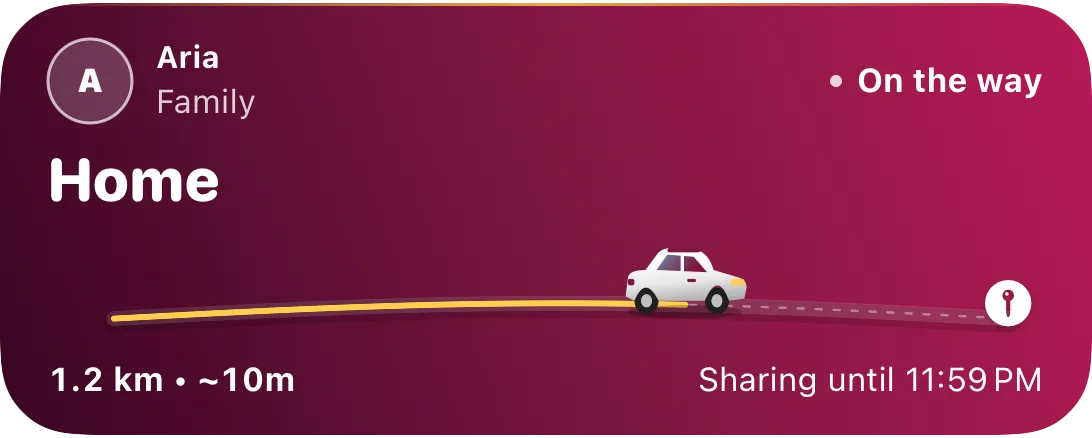
This is the current native Live Activity rendered with fictional data. Live Activities must be enabled. Android uses its own Journey notification style.
Notification examples
Know when a sharing member reaches a saved place.
At Home • Family Bubble
You’ve arrived. Tap to read it.
Anika crossed 80 km/h. Check their location.
An informational speed update, not an SOS or proof of danger.
Open Manage Bubble to mute ordinary Chat, mentions, Zone, driving and Journey updates. SOS, Ring, Nudge and safety alerts still come through. Activity stays available.
Mute Bubble · iPhone and Android
Family, friends, work: when several Bubbles keep you updated all day, mute the ones you want to quiet while you focus.
Open Manage Bubble and turn on Mute Bubble. Activity stays available; Tag alerts keep their own controls.
Manage Bubble notifications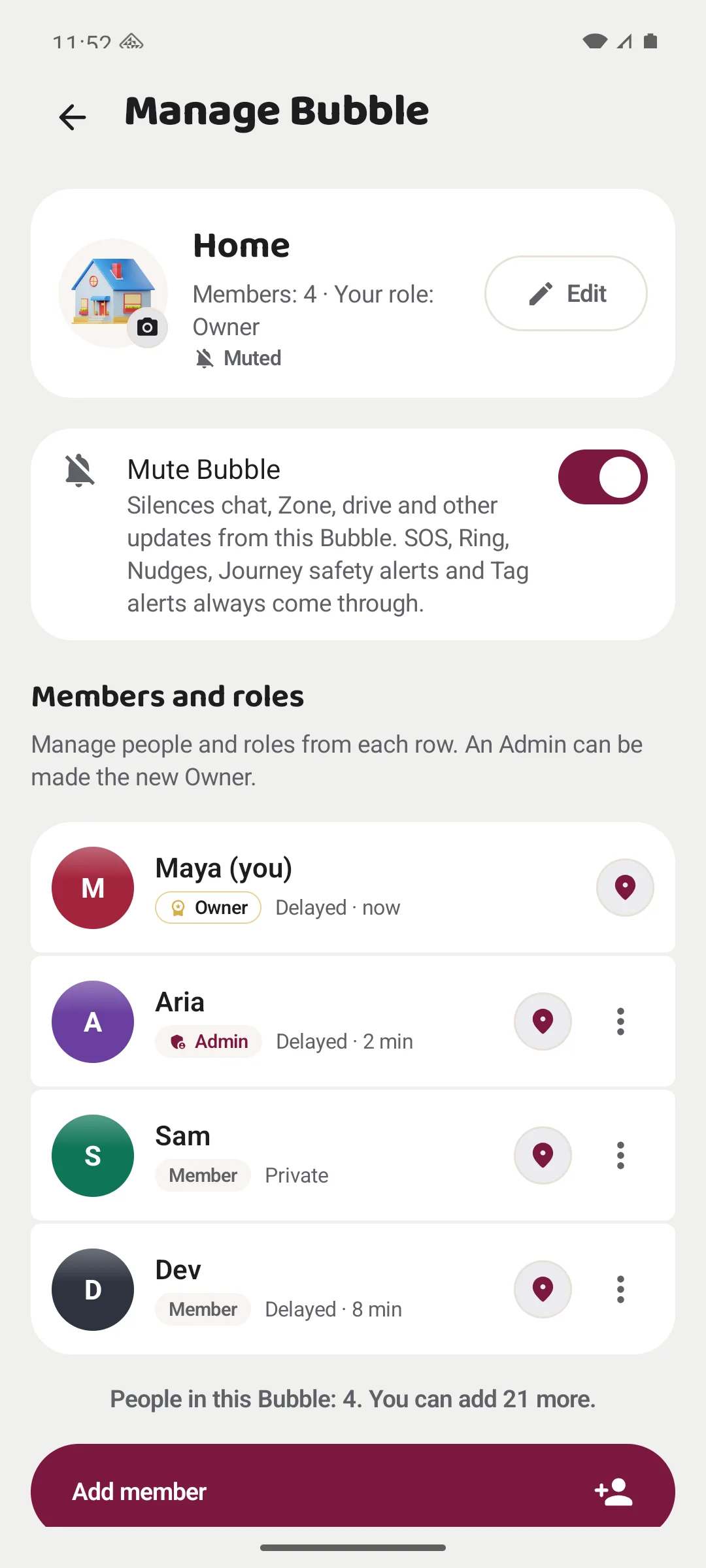
SOS / When you need your people
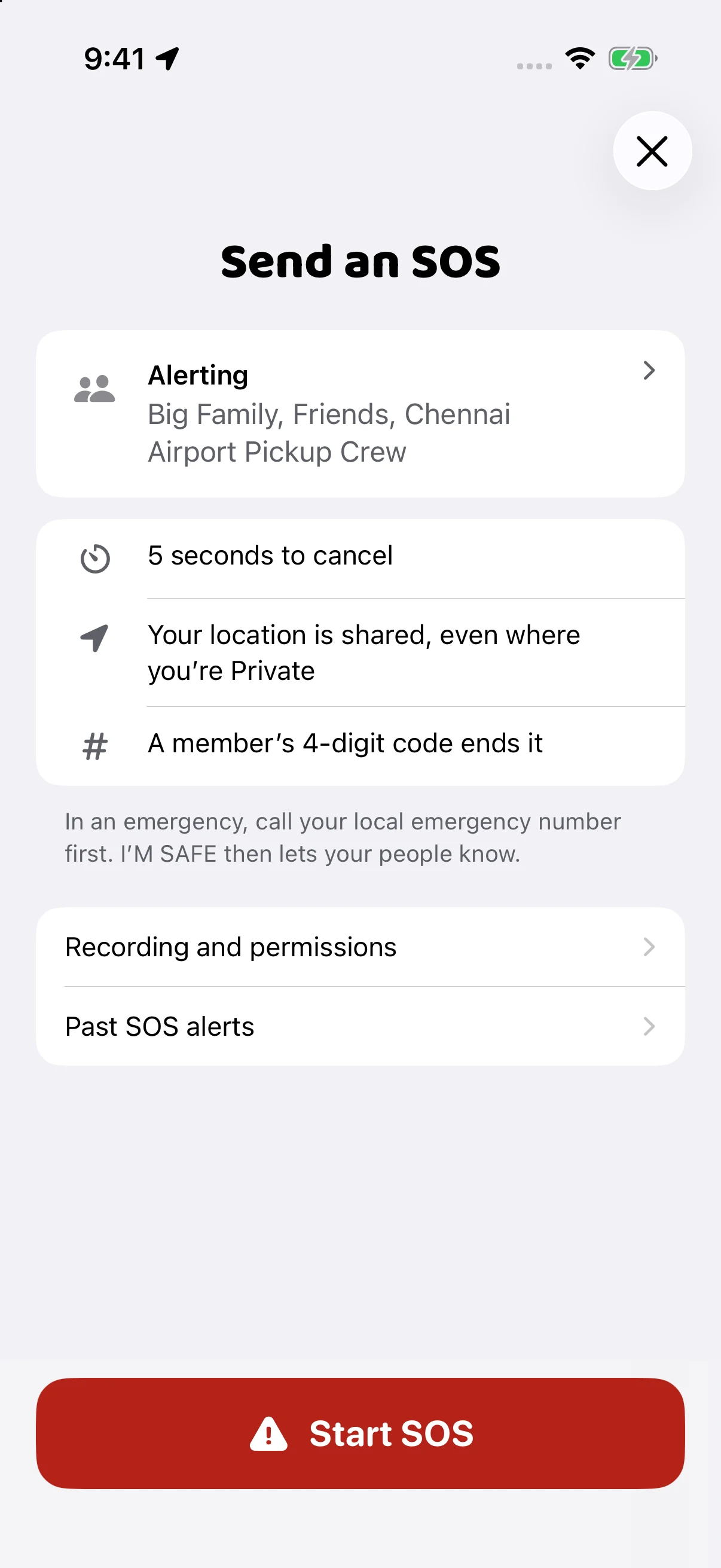
Alert the Bubbles you selected for SOS and share your live location while the alert is active.
It does not call emergency services. If you are in immediate danger, call your local emergency number.
Android only
Fake Call creates a simulated incoming call. Nobody is actually calling, and it does not alert your Bubble. Android only.
On your phone
Read practical safety guides without a connection. Keep useful ideas close, even when you are offline.
Local support
Look up emergency and support numbers for your location. In immediate danger, call your local emergency number.
Bubble Chat
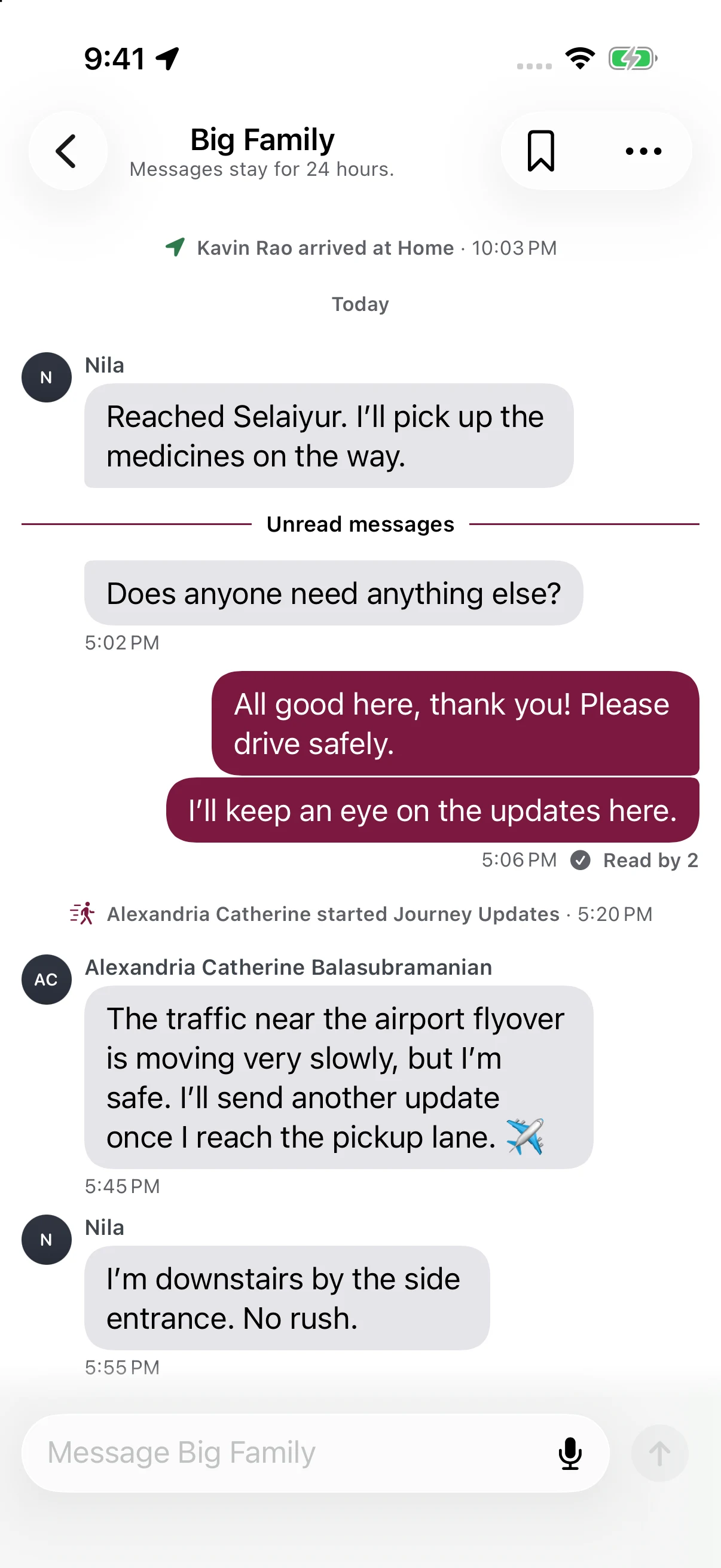
Keep each Bubble’s conversation together. Free includes 24 hours of history; Plus includes 30 days and private saved messages.
Free & Plus · iPhone and Android
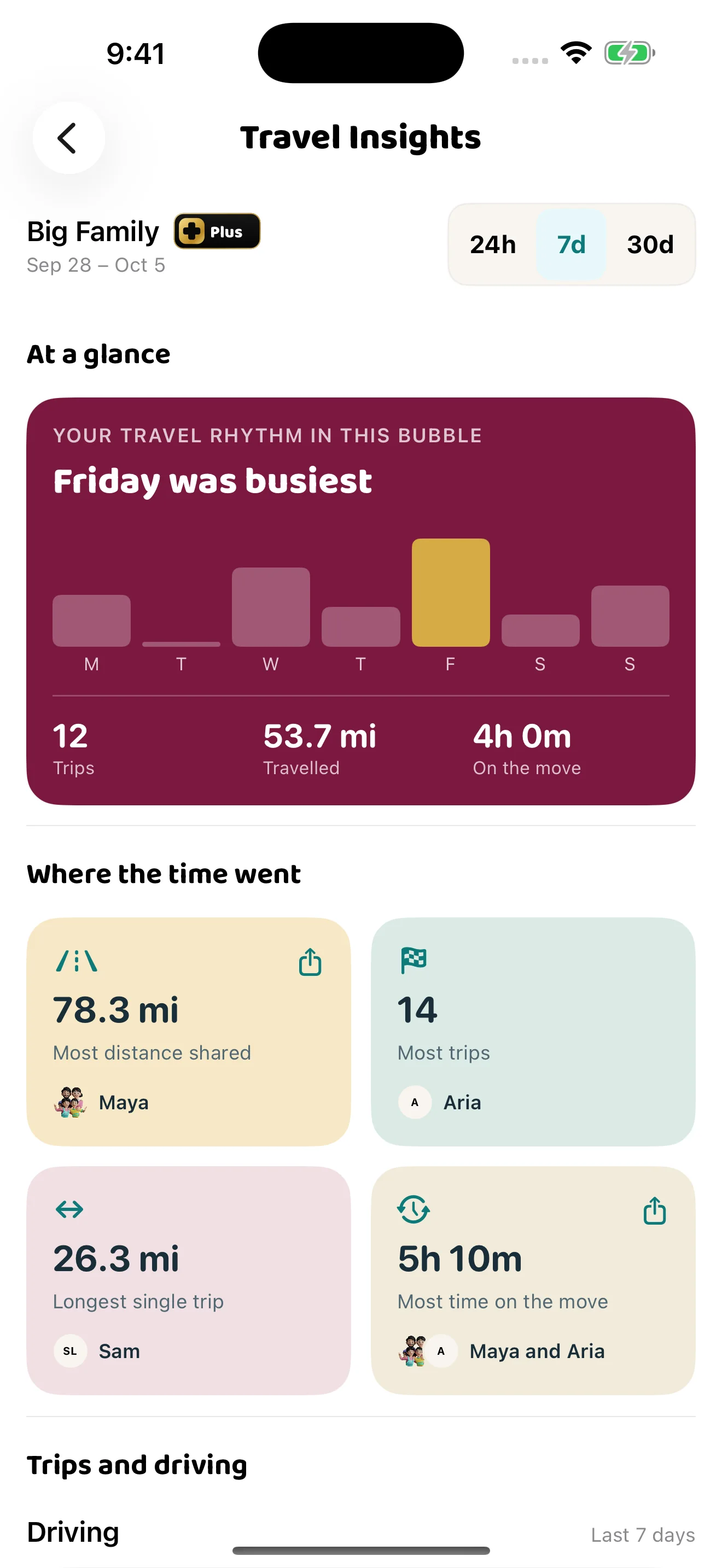
Weekly Travel Insights summarise trips, distance and time with Plus. Your own driving insights are included on Free; shared Bubble driving insights are a Plus feature. These are summaries, not live tracking or continuous monitoring.
I’M SAFE Plus · Private Vault
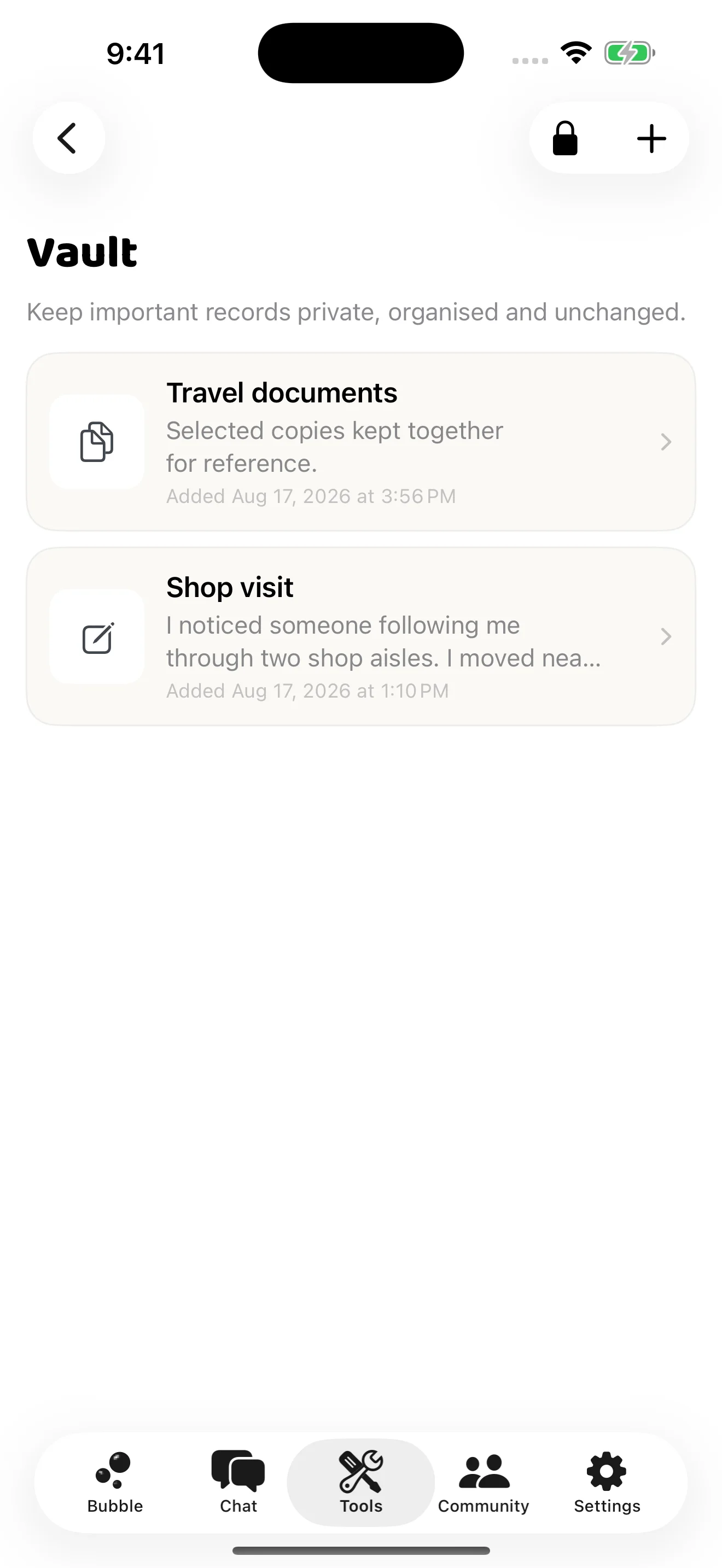
Keep selected notes, photos, files and recordings together on your phone, protected by strong encryption and device authentication.
A document for a trip. A note you want to remember. Add only what you choose.
Records are protected with AES-256-GCM encryption. Your phone’s secure key storage protects the keys, and device authentication controls access. Your Bubble cannot see your Vault.
Records are encrypted on iPhone and Android, with optional encrypted backup and recovery. Existing records remain available if Plus ends; adding new records needs Plus.
AES-256-GCM encrypts the saved content and checks for altered encrypted data when it is opened. Keys are protected by Apple Keychain on iPhone and Android Keystore on Android. Unlocking requires device authentication.
Protection applies inside Vault. If you choose to export a record, the copy you share with another app is no longer protected by Vault’s encryption.
Private records, in one place.
Plus · iPhone and Android
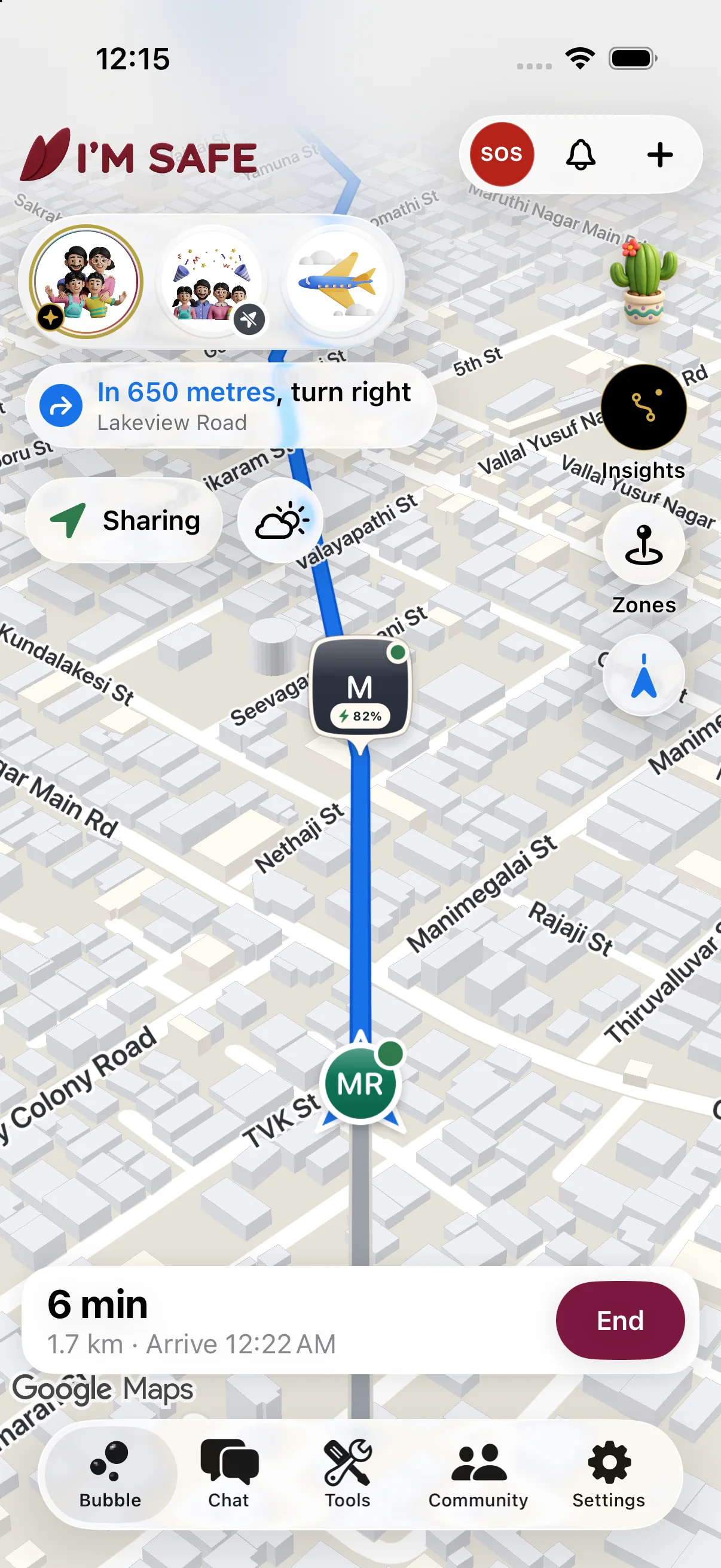
Start a Journey to a place and the Bubble map becomes your navigation view: the road ahead, the next turn and your arrival time, while the people you chose see the same road from their side.
Navigation needs Plus in that Bubble and a named destination. It is a guide, not a promise of a safe or timely arrival, and it does not replace the driver's attention.

Keep the core sharing and safety tools for free. One Plus subscription gives Plus to every Bubble you own, and you can also give it to Bubbles you joined.
Everyone in a Plus Bubble benefits: 30 days of history, room for up to 100 people, more Zones, Journey navigation and Saved Messages. Your Vault stays private to you.
Core sharing and SOS stay free. In India, Plus is ₹149 a month or ₹1,499 a year. Elsewhere, the local price is shown in the app before you buy.
Plus renews through Apple or Google Play until you cancel it there. Availability depends on your phone and account eligibility.
| Feature | Free | Plus |
|---|---|---|
| Core sharing & SOS | Included | Included |
| Weather near you | Included | Included |
| Location & chat history | 24 hours | 30 days |
| Journey navigation | Not included | Included |
| People per Bubble | Up to 10 | Up to 100 |
| Zones per Bubble | 2 | 10 |
| Weekly Travel Insights | Not included | Included |
| Your driving insights | Included | Included |
| Shared Bubble driving insights | Not included | Included |
| Saved Messages | Not included | Included |
| Zone Notes | Not included | Included |
| Private Vault on iPhone and Android | Not included | Included |
Check the app for the price and availability on your phone.
Your phone, with a little company
Carry your iPhone or Android phone. Add a companion when it makes everyday checking easier.
iPad and Android tablets
Check the map, chat and settings at home. Sign into the same account as your carried phone, which supplies your location.
Tablet setup and phone-only features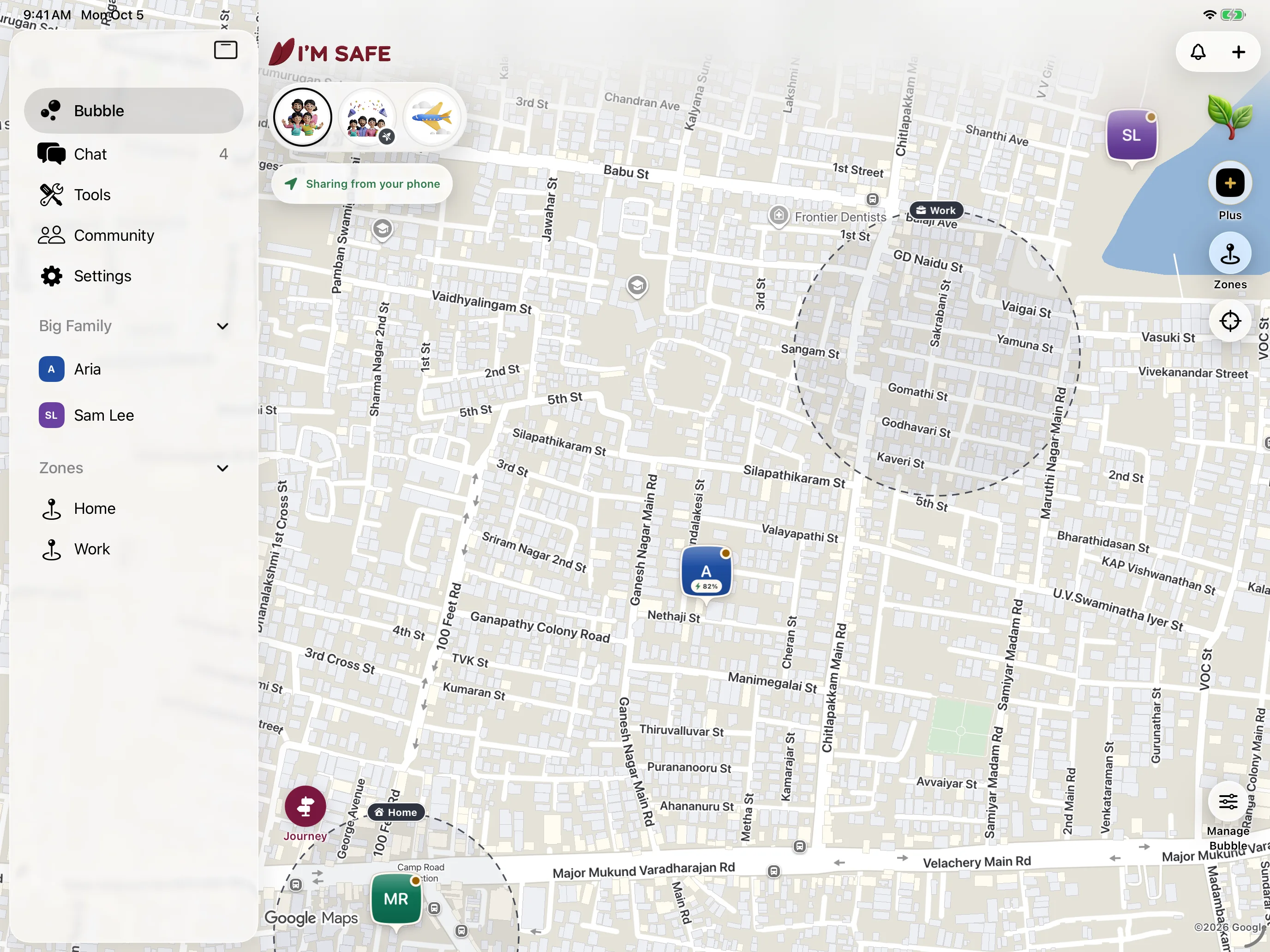
iPad
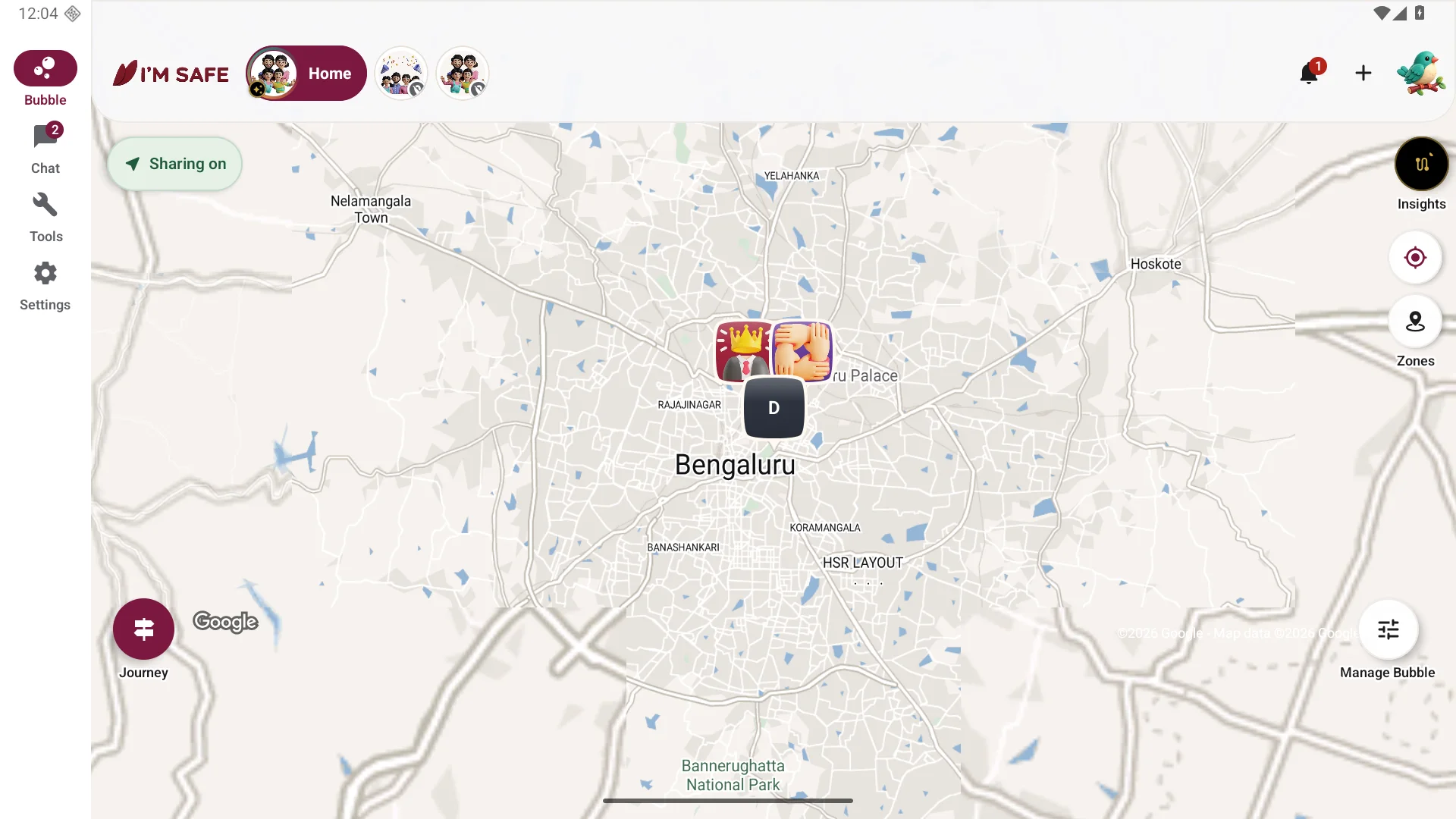
Android tablet
Apple Watch and Wear OS
Reach SOS and follow an existing Journey from your wrist, with your paired phone connected.
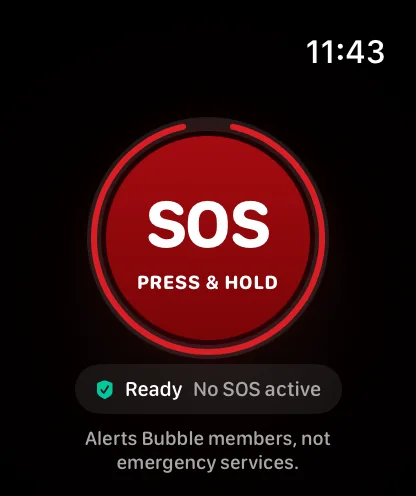
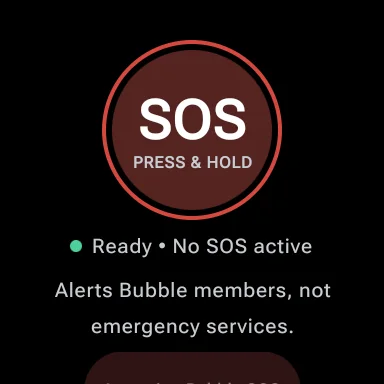
iPhone and Android
See your people and their update times at a glance, without opening the app.
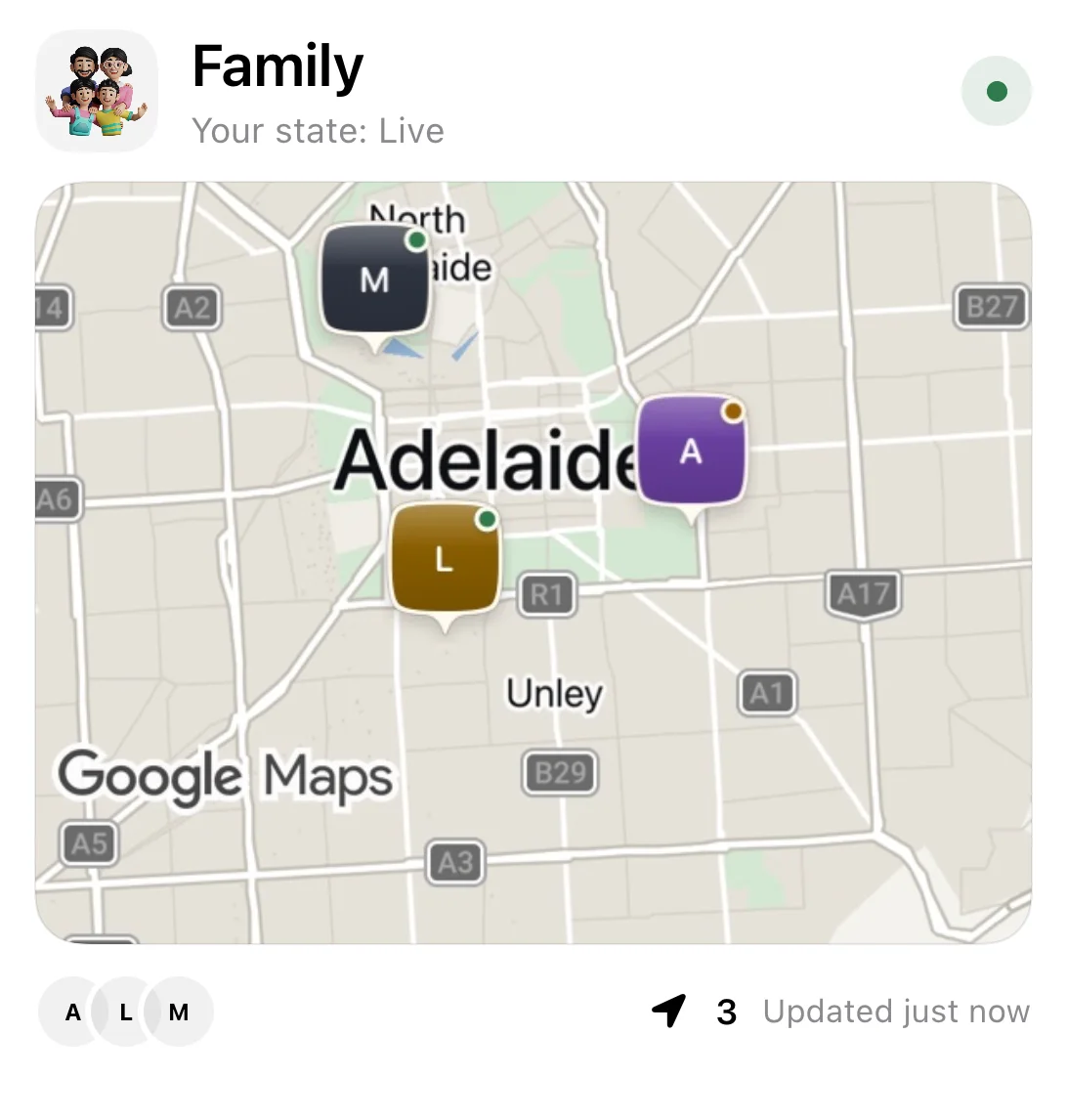
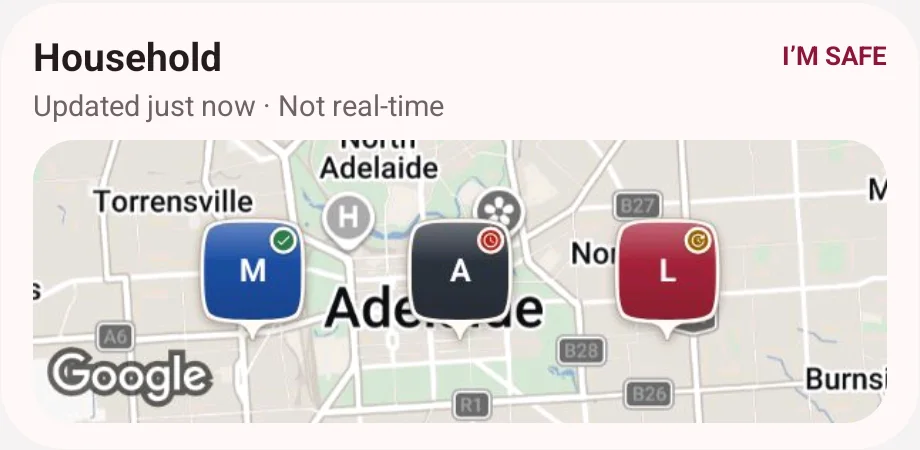
Companions are optional and need a working account connection. If the watch link is unavailable, use your phone. Store availability depends on your device and country.
Start SOS, Journeys and new sharing links on your phone. Vault and SOS Tags also stay on the phone. iPhone Journey Live Activities need to be enabled; Android uses a Journey notification.
A little local knowledge
Read local guides, share updates about public places and join moderated conversations, separate from your private Bubbles.
Community is available in select supported cities, including Chennai. Check the app for current availability and eligibility in your area. Access depends on your location and eligibility. The rest of the app works outside these Community areas.
Community questions and helpFAQs
Your choices should be clear before you start.
Read our privacy policyNo. Core sharing and safety tools work in the free app without a device purchase. A Bluetooth SOS Tag adds a physical button and supported finder functions. A Personal Alarm is a separate, standalone siren.
Go Private stops new location updates for that Bubble. Your last-known information may remain visible with its timestamp. Turning off location or leaving the Bubble stops further live updates.
Location updates depend on permissions, background access, battery, phone settings and connectivity. Check the timestamp, battery and signal before treating a location as current.
Yes. The app is available on iPhone and Android. Some features and controls vary by platform: Fake Call is Android only, and Vault is a Plus feature on iPhone and Android.
We do not sell your personal data. Read the privacy policy for the full details of collection, use, storage and your choices.
An SOS Tag works with your phone. A Personal Alarm makes a loud sound on its own.
Start with your people
Get the free app, invite someone you trust, and choose when to share.
Download the free appAvailable on iPhone and Android.
Walk through the setup